
Girls
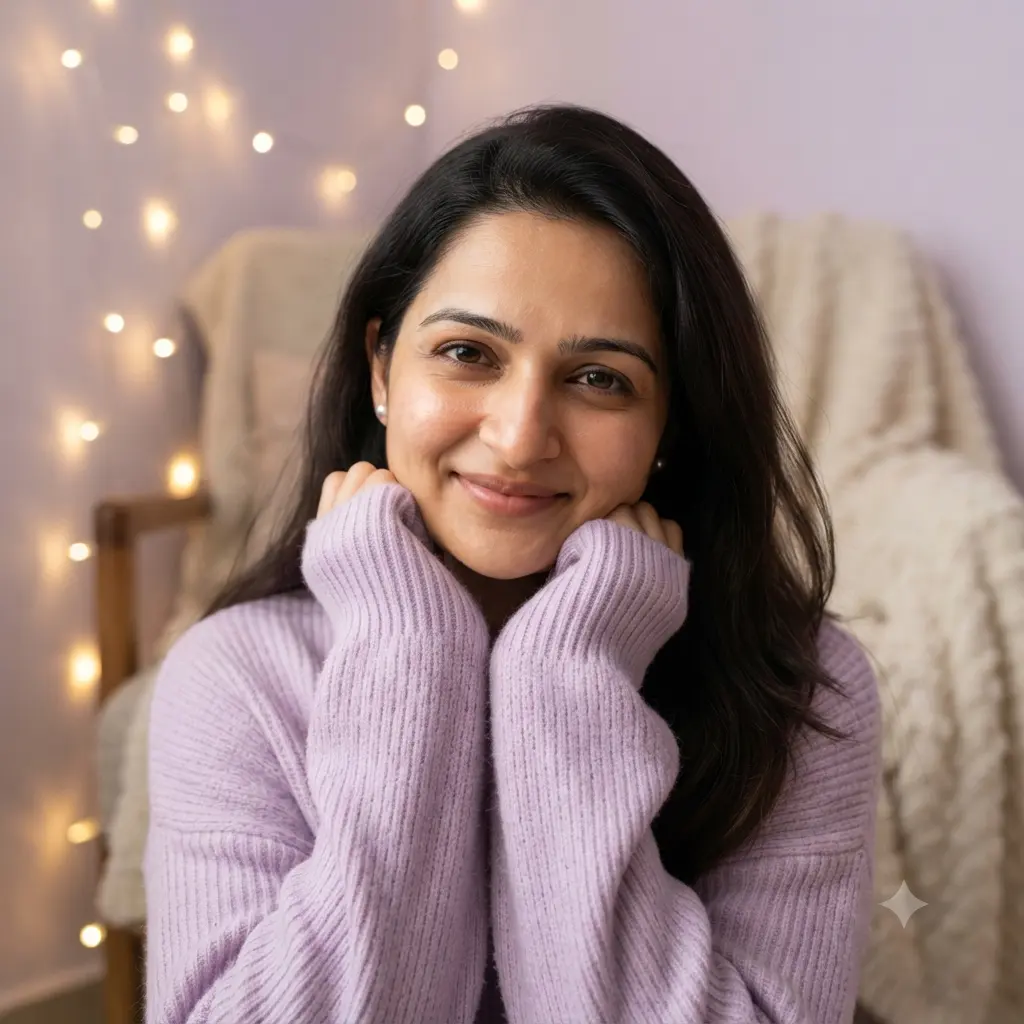
Cozy Knit Sweater Aesthetic DP
A soft aesthetic DP in a cozy knit sweater with warm fairy lights behind – sweet, simple and perfect for a round profile picture.
AI Prompt
📸 STEP 1: Attach your photo (one clear, front-facing photo in good light, no sunglasses, no filter).
✍️ STEP 2: Paste this full prompt and send.

Create an ultra-realistic, high-resolution photograph of the young woman from my attached photo. Keep the face, skin tone, facial features, hairline, age and identity exactly the same as in my attached photo. Do not beautify, slim, whiten or change the face in any way.

POSE: head slightly tilted, sweater sleeves pulled over the hands near the chin, gentle smile at the camera.
OUTFIT: oversized lavender knit sweater, tiny pearl earrings, hair open.
LOCATION: a cozy bedroom corner with fairy lights and a soft blanket in the background.
LIGHTING: soft warm light from the front, fairy-light bokeh behind, face bright.
CAMERA: head-and-shoulders, face centred for a round crop, 85mm look, sharp focus on the eyes.
COLOURS & MOOD: pastel lavender and warm gold, soft and dreamy.
QUALITY: photorealistic, natural skin texture, realistic proportions, clean details, 1:1 aspect ratio.

AVOID: changing or beautifying the face, extra people, extra fingers, distorted hands, cartoon or painting look, blurry face, dark or underexposed face, text, watermark, logo.
ⓘ AI results vary: the same prompt can give a different image each time, depending on the AI tool, its version and your photo. Please check every image before you use or share it. Learn more
- Prompt Style
- Realistic
- Gender Category
- Girls
- Occasion
- Everyday
- Recommended AI Tool
- Gemini
- Aspect Ratio
- 1:1
A soft aesthetic DP in a cozy knit sweater with warm fairy lights behind – sweet, simple and perfect for a round profile picture.
Best for: Instagram and WhatsApp profile pictures (DP) – square, fits the round crop.
How to use this prompt
- Tap Use Prompt on this page – the full prompt is copied.
- Open the Gemini app (or ChatGPT) and start a new chat.
- Tap + and attach one clear, front-facing photo of yourself in good daylight – no sunglasses, no filter.
- Paste the prompt, check that it is complete (down to the AVOID line) and tap Send.
- If you get text instead of a picture, reply: Please create the image now using my attached photo.
- Download the picture and share it.
Tips for the best result
- If the face changes, reply in the same chat: Keep my face exactly the same as in my photo and generate again.
- Bright, sharp, front-facing photos give the most similar face.
- Want a different colour or place? Change those words in the prompt – keep the face line.
Only use your own photos or photos of people who agreed.